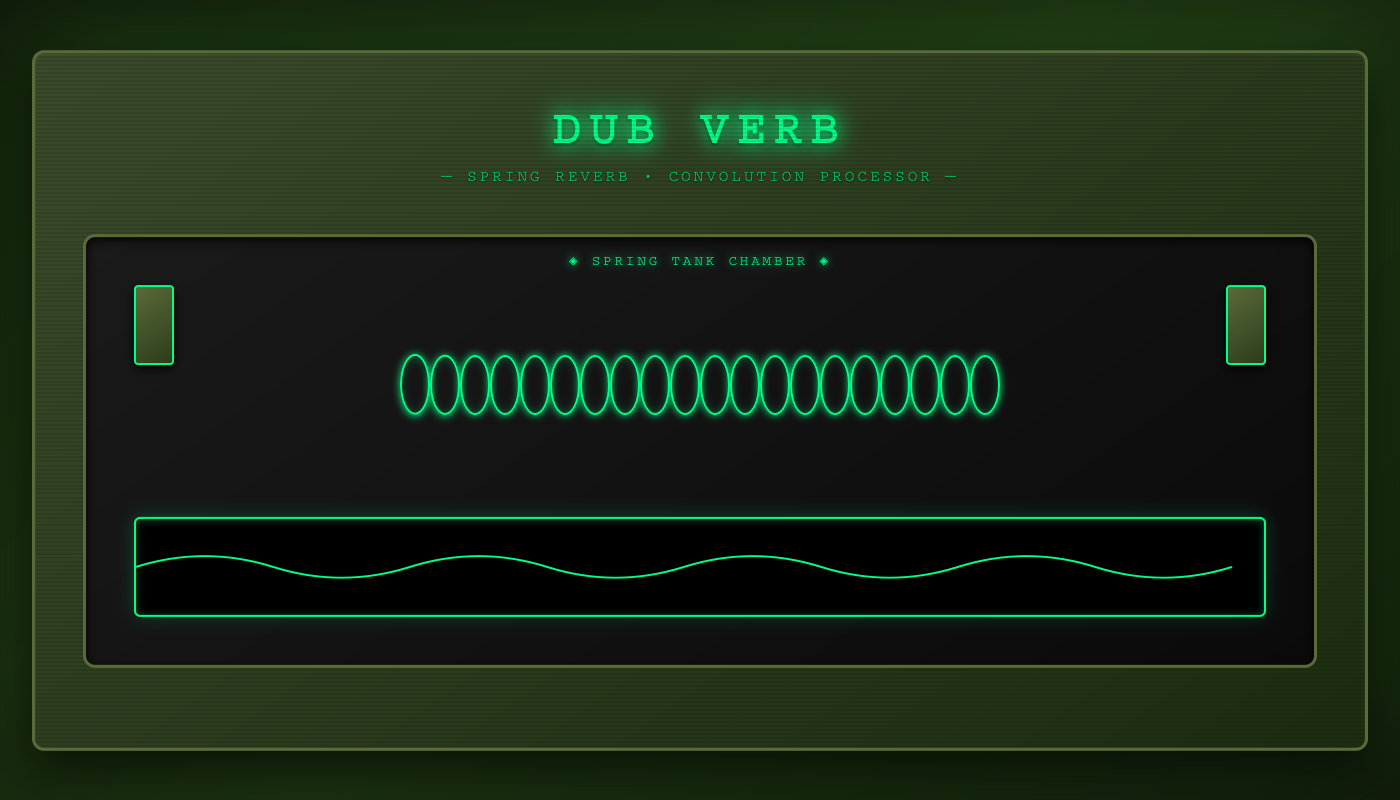
This interactive diagram is part of an educational series exploring dub music production techniques. By making convolution reverb visual and interactive, we reveal the “magic” of how authentic vintage sounds are recreated digitally—bridging the gap between historical hardware and modern DSP.
DUB VERB
50%
50%
0 ms
8000 Hz
Ready • Spring reverb IR loaded
🎚️ DUB VERB SIGNAL PATH
1. Complete Signal Flow — Convolution Reverb Architecture
Main Signal
Dry Path
Wet Path (Reverb)
2. What is Convolution Reverb?
Why convolution reverb is special:
• Captures the EXACT sonic signature of real hardware (spring reverb tank, plate, room)
• Impulse response = recording of how the device responds to a sharp click
• Web Audio API does the heavy math (FFT-based convolution) in real-time
• Result: Authentic vintage spring reverb without the hardware
• Captures the EXACT sonic signature of real hardware (spring reverb tank, plate, room)
• Impulse response = recording of how the device responds to a sharp click
• Web Audio API does the heavy math (FFT-based convolution) in real-time
• Result: Authentic vintage spring reverb without the hardware
3. Spring Reverb Impulse Response
4. Parallel Dry/Wet Architecture
Independent dry/wet control:
• Both dry and wet have separate gain controls (0-100% each)
• Can create different balances: subtle, normal, extreme
• Dry path bypasses all processing for zero latency
• Wet path goes through full convolution processing
• Both dry and wet have separate gain controls (0-100% each)
• Can create different balances: subtle, normal, extreme
• Dry path bypasses all processing for zero latency
• Wet path goes through full convolution processing
5. Wet Path Detail — Reverb Processing Chain
Processing stages explained:
1. Pre-Delay: Optional delay before reverb onset (0-100ms). Creates space between direct sound and reverb tail. Used for clarity.
2. Convolver: Heart of the effect. Mathematically combines input with spring IR. CPU-intensive but creates authentic sound.
3. Tone Filter: Low-pass filter (200-8000Hz) shapes reverb character. Lower = darker/warmer, higher = brighter/clearer.
4. Wet Gain: Final level control for reverb signal before mixing with dry.
1. Pre-Delay: Optional delay before reverb onset (0-100ms). Creates space between direct sound and reverb tail. Used for clarity.
2. Convolver: Heart of the effect. Mathematically combines input with spring IR. CPU-intensive but creates authentic sound.
3. Tone Filter: Low-pass filter (200-8000Hz) shapes reverb character. Lower = darker/warmer, higher = brighter/clearer.
4. Wet Gain: Final level control for reverb signal before mixing with dry.
6. Code Implementation
// NODE CREATION
dryGain = ctx.createGain();              // Dry path level
wetGain = ctx.createGain();              // Wet path level
preDelayNode = ctx.createDelay(0.2);     // Pre-delay (max 200ms)
toneFilter = ctx.createBiquadFilter();   // Tone shaping
convolver = ctx.createConvolver();       // Spring reverb IR
analyser = ctx.createAnalyser();         // Visualization

// LOAD IMPULSE RESPONSE
const irBuffer = await fetch(IR_URL)
  .then(r => r.arrayBuffer())
  .then(ab => ctx.decodeAudioData(ab));

convolver.buffer = irBuffer;             // Load spring IR into convolver

// CONFIGURE FILTERS
toneFilter.type = 'lowpass';
toneFilter.frequency.value = 8000;       // Wide open by default

// ROUTING (PARALLEL ARCHITECTURE)
source.connect(dryGain);                 // Dry path: direct
source.connect(preDelayNode);            // Wet path: starts here

preDelayNode.connect(convolver);         // Pre-delay → Convolver
convolver.connect(toneFilter);           // Convolver → Tone filter
toneFilter.connect(wetGain);             // Tone → Wet gain

// FINAL MIX
dryGain.connect(analyser);               // Dry to mix
wetGain.connect(analyser);               // Wet to mix

// OUTPUT
analyser.connect(ctx.destination);       // To speakers
analyser.connect(dest);                  // To recorder
7. Control Parameters
💧 DRY LEVEL (0-100%, default 50%)
• Controls volume of unprocessed signal
• 100% = full dry signal (with reverb on top)
• 0% = reverb only (no dry signal)
• Independent from wet level
💧 WET LEVEL (0-100%, default 50%)
• Controls volume of reverb signal
• 100% = maximum reverb intensity
• 0% = no reverb (dry only)
• Balance with dry for desired effect depth
⏱️ PRE-DELAY (0-100ms, default 0ms)
• Time gap between dry sound and reverb onset
• 0ms = reverb starts immediately
• 20-50ms = natural room separation
• 50-100ms = special FX / exaggerated space
• Helps maintain clarity and definition
🎛️ TONE / LPF (200-8000Hz, default 8000Hz)
• Low-pass filter on reverb tail
• 8000Hz = bright, open, full-range reverb
• 2000-4000Hz = natural, warm character
• 200-1000Hz = dark, vintage, lo-fi sound
• Shapes the tonal character of spring reverb
• Controls volume of unprocessed signal
• 100% = full dry signal (with reverb on top)
• 0% = reverb only (no dry signal)
• Independent from wet level
💧 WET LEVEL (0-100%, default 50%)
• Controls volume of reverb signal
• 100% = maximum reverb intensity
• 0% = no reverb (dry only)
• Balance with dry for desired effect depth
⏱️ PRE-DELAY (0-100ms, default 0ms)
• Time gap between dry sound and reverb onset
• 0ms = reverb starts immediately
• 20-50ms = natural room separation
• 50-100ms = special FX / exaggerated space
• Helps maintain clarity and definition
🎛️ TONE / LPF (200-8000Hz, default 8000Hz)
• Low-pass filter on reverb tail
• 8000Hz = bright, open, full-range reverb
• 2000-4000Hz = natural, warm character
• 200-1000Hz = dark, vintage, lo-fi sound
• Shapes the tonal character of spring reverb
8. Signal Flow Step-by-Step
Complete Signal Journey:
1. SOURCE
Audio buffer plays in loop → connects to splitter
2. DRY PATH (Direct)
Source → Dry Gain (50%) → Analyser
• Unprocessed signal
• Zero latency
• Maintains original clarity
3. WET PATH (Reverb Chain)
Source → Pre-Delay (0-100ms) → Convolver → Tone Filter → Wet Gain (50%) → Analyser
3a. PRE-DELAY
• Optional delay before reverb (default 0ms)
• Creates separation between direct and reverb
• Helps maintain punch and clarity
3b. CONVOLVER
• Loads spring reverb impulse response (2 second recording)
• Performs FFT-based convolution
• Output = input ⊛ spring IR
• Authentic spring reverb character
3c. TONE FILTER
• Low-pass filter shapes reverb tone
• Removes harsh highs if needed
• Creates darker, warmer character
3d. WET GAIN
• Controls final reverb level
• Balances with dry signal
4. MIX POINT (Analyser)
Dry + Wet → Analyser
• Sums both signals
• Provides FFT data for visualization
5. OUTPUT
Analyser → Speakers + Recorder
• Live monitoring
• WAV recording capability
• Real-time spectrum + X/Y scope visualization
1. SOURCE
Audio buffer plays in loop → connects to splitter
2. DRY PATH (Direct)
Source → Dry Gain (50%) → Analyser
• Unprocessed signal
• Zero latency
• Maintains original clarity
3. WET PATH (Reverb Chain)
Source → Pre-Delay (0-100ms) → Convolver → Tone Filter → Wet Gain (50%) → Analyser
3a. PRE-DELAY
• Optional delay before reverb (default 0ms)
• Creates separation between direct and reverb
• Helps maintain punch and clarity
3b. CONVOLVER
• Loads spring reverb impulse response (2 second recording)
• Performs FFT-based convolution
• Output = input ⊛ spring IR
• Authentic spring reverb character
3c. TONE FILTER
• Low-pass filter shapes reverb tone
• Removes harsh highs if needed
• Creates darker, warmer character
3d. WET GAIN
• Controls final reverb level
• Balances with dry signal
4. MIX POINT (Analyser)
Dry + Wet → Analyser
• Sums both signals
• Provides FFT data for visualization
5. OUTPUT
Analyser → Speakers + Recorder
• Live monitoring
• WAV recording capability
• Real-time spectrum + X/Y scope visualization
9. Comparison: Reverb vs Delay
When to use reverb vs delay:
• Reverb: Add depth, space, ambience. Makes dry recordings sound like they were recorded in a room. Vintage spring character for dub reggae.
• Delay: Create rhythmic echoes, dub effects, call-and-response patterns. More obvious and musical effect.
• Together: Classic dub technique uses BOTH — delay for rhythm, reverb for space. Chain them for authentic dub sound!
• Reverb: Add depth, space, ambience. Makes dry recordings sound like they were recorded in a room. Vintage spring character for dub reggae.
• Delay: Create rhythmic echoes, dub effects, call-and-response patterns. More obvious and musical effect.
• Together: Classic dub technique uses BOTH — delay for rhythm, reverb for space. Chain them for authentic dub sound!
10. Key Features & Technical Specs
🌊 Convolution Reverb
• Uses authentic spring reverb impulse response (2 second capture)
• FFT-based convolution for realistic sound
• Captures actual hardware characteristics
• Metallic, vintage spring character
🎚️ Parallel Processing
• Independent dry and wet gain controls
• Mix from 100% dry to 100% wet
• Dry path has zero latency
• Full flexibility in sound design
⏱️ Pre-Delay
• 0-100ms adjustable pre-delay
• Creates separation between dry and wet
• Enhances clarity and definition
• Optional feature (default off)
🎛️ Tone Shaping
• Low-pass filter on reverb tail
• 200-8000Hz range
• Darkens or brightens reverb character
• Shapes vintage vs modern sound
📊 Real-Time Visualization
• Spectrum analyser (frequency content)
• X/Y scope (stereo phase)
• 60fps smooth animation
• Green-cyan gradient aesthetic
🎙️ Recording & Export
• Live recording to WAV format
• Captures full mix (dry + wet)
• Professional quality export
• Timestamped filenames
🎵 Audio Quality
• 48kHz sample rate
• 2048-point FFT
• High-quality convolution engine
• Authentic spring reverb sound
• Uses authentic spring reverb impulse response (2 second capture)
• FFT-based convolution for realistic sound
• Captures actual hardware characteristics
• Metallic, vintage spring character
🎚️ Parallel Processing
• Independent dry and wet gain controls
• Mix from 100% dry to 100% wet
• Dry path has zero latency
• Full flexibility in sound design
⏱️ Pre-Delay
• 0-100ms adjustable pre-delay
• Creates separation between dry and wet
• Enhances clarity and definition
• Optional feature (default off)
🎛️ Tone Shaping
• Low-pass filter on reverb tail
• 200-8000Hz range
• Darkens or brightens reverb character
• Shapes vintage vs modern sound
📊 Real-Time Visualization
• Spectrum analyser (frequency content)
• X/Y scope (stereo phase)
• 60fps smooth animation
• Green-cyan gradient aesthetic
🎙️ Recording & Export
• Live recording to WAV format
• Captures full mix (dry + wet)
• Professional quality export
• Timestamped filenames
🎵 Audio Quality
• 48kHz sample rate
• 2048-point FFT
• High-quality convolution engine
• Authentic spring reverb sound
11. Summary: Dub Verb Spring Reverb
This convolution reverb captures the authentic sound of vintage spring reverb
units used in classic dub reggae production. By loading an impulse response recorded from real spring
reverb hardware, it recreates the exact sonic characteristics—metallic bounce, flutter, and smooth
decay—that defined the sound of studios like King Tubby's and Channel One.
Why Convolution?
Unlike algorithmic reverb (which uses mathematical models), convolution reverb uses an actual recording of how a real device responds to sound. The Web Audio API's ConvolverNode performs the complex mathematics (Fast Fourier Transform) to apply this response to your audio in real-time, creating an incredibly realistic simulation.
The Spring Reverb Sound:
Spring reverb has a distinctive character—bright, metallic, with a characteristic "boing" on percussive hits. It was cheaper than plate reverb and became synonymous with dub, surf rock, and rockabilly. The 2-second impulse response captures the full decay characteristic of a professional spring tank.
Modern Enhancement:
While staying true to vintage spring character, this version adds modern features: independent dry/wet controls, pre-delay for clarity, tone shaping with low-pass filter, real-time visualization, and professional WAV recording. The 197X Ghost Console styling pays homage to the era of classic dub production.
Perfect for adding vintage spring reverb character to drums, vocals, and instruments in dub reggae, roots music, or any production requiring authentic analog space!
Chain It!
For complete dub processing, use this reverb AFTER the delay units. Classic signal chain: Drums → EQ → Delay → Reverb → Mix. This creates the spatial depth and rhythmic complexity that defines the dub sound.
Why Convolution?
Unlike algorithmic reverb (which uses mathematical models), convolution reverb uses an actual recording of how a real device responds to sound. The Web Audio API's ConvolverNode performs the complex mathematics (Fast Fourier Transform) to apply this response to your audio in real-time, creating an incredibly realistic simulation.
The Spring Reverb Sound:
Spring reverb has a distinctive character—bright, metallic, with a characteristic "boing" on percussive hits. It was cheaper than plate reverb and became synonymous with dub, surf rock, and rockabilly. The 2-second impulse response captures the full decay characteristic of a professional spring tank.
Modern Enhancement:
While staying true to vintage spring character, this version adds modern features: independent dry/wet controls, pre-delay for clarity, tone shaping with low-pass filter, real-time visualization, and professional WAV recording. The 197X Ghost Console styling pays homage to the era of classic dub production.
Perfect for adding vintage spring reverb character to drums, vocals, and instruments in dub reggae, roots music, or any production requiring authentic analog space!
Chain It!
For complete dub processing, use this reverb AFTER the delay units. Classic signal chain: Drums → EQ → Delay → Reverb → Mix. This creates the spatial depth and rhythmic complexity that defines the dub sound.